06 / POWER
Power Supplies: Never Cut Corners Here
Enough wattage is only the starting point — quality and protection decide how stable your PC is.
Choose wattage based on the graphics card maker’s advice and total system power, with headroom to spare — then weigh certification, connectors and build quality rather than price alone.
The power supply is the heart of your PC
The power supply converts AC power from the wall socket into the DC power your PC runs on, feeding the motherboard, CPU, graphics card and other hardware. How stable its output is, how complete its protections are and how well it’s built all directly affect the reliability of the whole system.
High-end CPUs and graphics cards produce brief power spikes as their load changes. So when choosing a power supply, don’t look only at continuous wattage — follow the graphics card maker’s recommendation too, and leave some room for future upgrades.
850W or 1000W?
850W and 1000W are a power supply’s rated output capacity, not a fixed amount of power your PC draws the moment it’s switched on. Even with a 1000W unit installed, actual everyday consumption is still determined by the hardware load.
Start from the graphics card maker’s system power recommendation — NVIDIA, for example, recommends 850W for the RTX 5080 and 1000W for the RTX 5090 — then add headroom for the CPU and other components. Simply adding up TDP figures won’t give you a reliable wattage.
Gold, Platinum and fully modular
80 PLUS Gold and Platinum are efficiency certifications: the higher the efficiency, the less power is wasted as heat. But they only describe efficiency — not overall build quality, protections or stability.
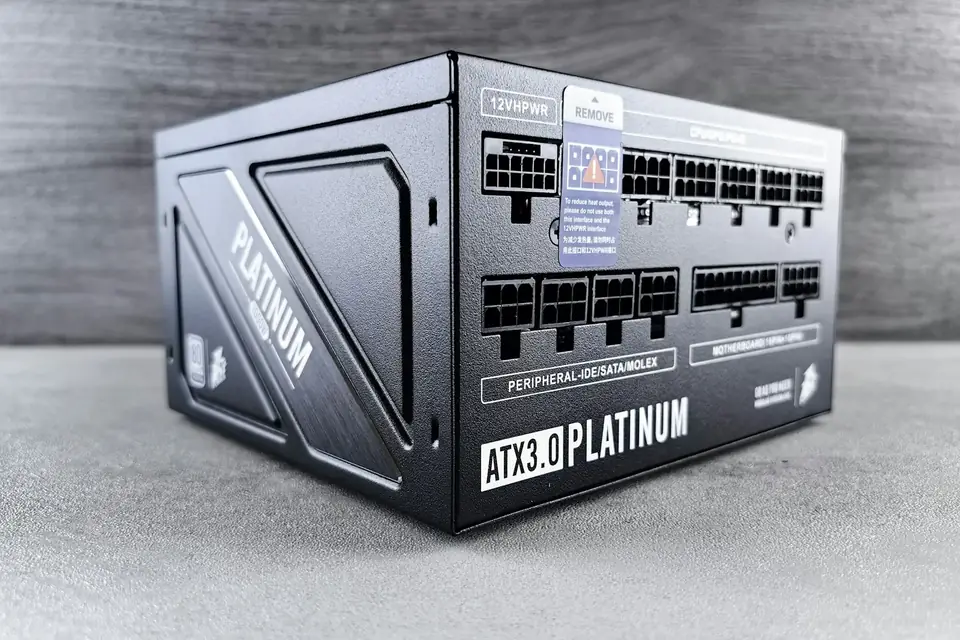
With a fully modular power supply, every cable is detachable, so you connect only what you need, for tidier cable management and easier maintenance later on. Note that modular cables from different brands — or even different series from the same brand — are not interchangeable; using the wrong one can damage your hardware outright.
ATX 3.1 and 12V-2x6
ATX 3.x is a newer power supply standard that copes better with graphics card transient power spikes, and many models include a 12V-2x6 connector (the improved version of 12VHPWR) for the graphics card. For new-generation high-end cards, a power supply with a native connector makes life easier.
Whatever the connector, push the plug fully home until the latch clicks, and avoid sharp bends in the cable close to the plug. When choosing, favour models with a solid reputation — it’s one of the last components in a PC you should compromise on.
This guide offers general buying advice. Examples reference our hardware catalogue and do not reflect live stock or guarantee the performance of any specific model. Manufacturer specifications govern compatibility; prices and available options are as shown in the build configurator.