04 / SSD
Choosing an SSD: Look Beyond Speed
7000MB/s is fast, but for gaming, capacity often matters more.
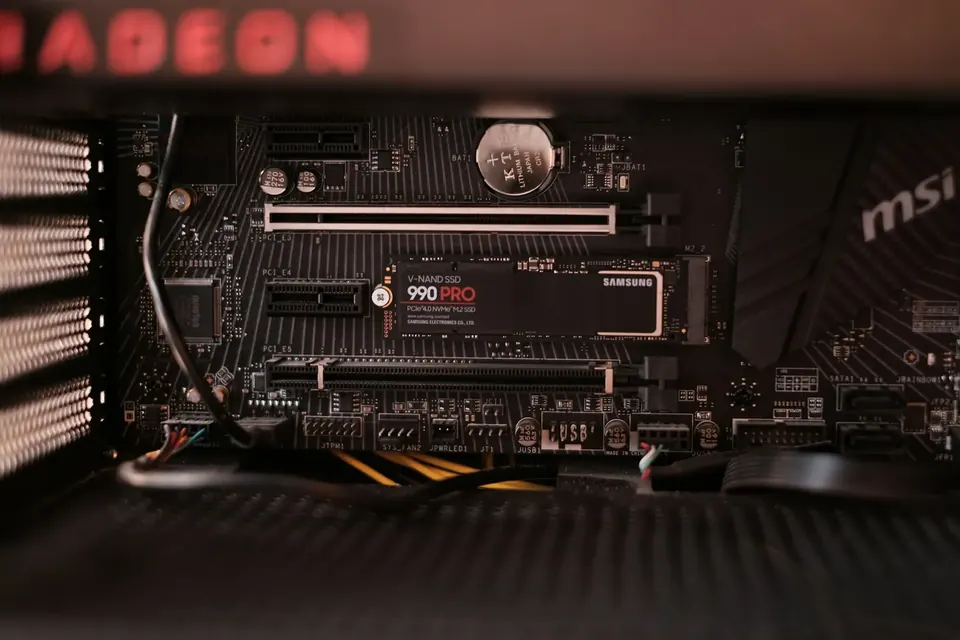
For a gaming PC’s SSD, capacity and reliability usually matter more than peak speed. Gen5 drives need a matching slot and proper cooling.
SSDs handle long-term storage
An SSD stores your system, games and files long term, without the spinning platters found inside a hard disk drive. Booting, opening software and loading games all get much faster, but it won’t boost the processing power of your graphics card or CPU.
Memory holds the data in use; the SSD holds all of it. However fast an SSD is, it can’t replace memory. When installing games, leave room for updates, caches and the system as well.
1TB or 2TB?
Today’s AAA games easily top 100GB each, and with recordings and project files on top, space disappears quickly. Add up the sizes of the games you play most, then allow for the system and some headroom, and you’ll have a good estimate of what you need.
Manufacturers also count capacity in decimal while the operating system displays it in binary, so a 1TB drive looks smaller once it’s installed. You’re not being short-changed — partitions and system files take up some of the space too.
Gen4, Gen5 and NVMe
Gen4 and Gen5 refer to the PCIe interface generation, which sets the ceiling on theoretical bandwidth. M.2 is the connector and form factor, while NVMe is the communication protocol — two M.2 drives may support different protocols and speeds.
A Gen5 SSD works in a Gen4 slot, but only at Gen4 speeds. On some motherboards, M.2 slots share lanes with other ports, so bandwidth can vary depending on which slot you use. Your motherboard manual has the final word.
How to read rated speeds
Figures such as a 7000MB/s read speed are sequential peaks measured under specific conditions, and they mostly reflect how quickly large files copy. Everyday use and game loading depend more on random reads and writes, latency, decompression and the CPU, so the real-world difference may be smaller than the spec sheet suggests.
During long, heavy writes, speeds drop once the cache fills up or temperatures rise. Give fast drives — Gen5 in particular — a proper heatsink and airflow. And just because an SSD has no moving parts doesn’t mean it can never fail: always back up important data.
This guide offers general buying advice. Examples reference our hardware catalogue and do not reflect live stock or guarantee the performance of any specific model. Manufacturer specifications govern compatibility; prices and available options are as shown in the build configurator.